他の GitHub アカウントからローカルで認証済みの GitHub アカウントにクローンをする際は、SSH鍵を作ってクローンできる。
GitHubアカウントが2つある。
今使ってるアカウントとは別のアカウントのリポジトリを、ローカルにクローンしたい。
ssh-keygen -t ed25519 -C "other-account@example.com" -f ~/.ssh/id_ed25519_otherすでに ~/.ssh/config があってもOK。追記すればいい。
Host github-other
  HostName github.com
  User git
  IdentityFile ~/.ssh/id_ed25519_other
ここで github-other ってHost名を作っておく。
あとで git@github-other みたいに使う。
公開鍵を表示:
cat ~/.ssh/id_ed25519_other.pub表示された内容を別アカウントの GitHub に登録する。
手順:
別アカウントの GitHub にログイン
Settings → SSH and GPG keys
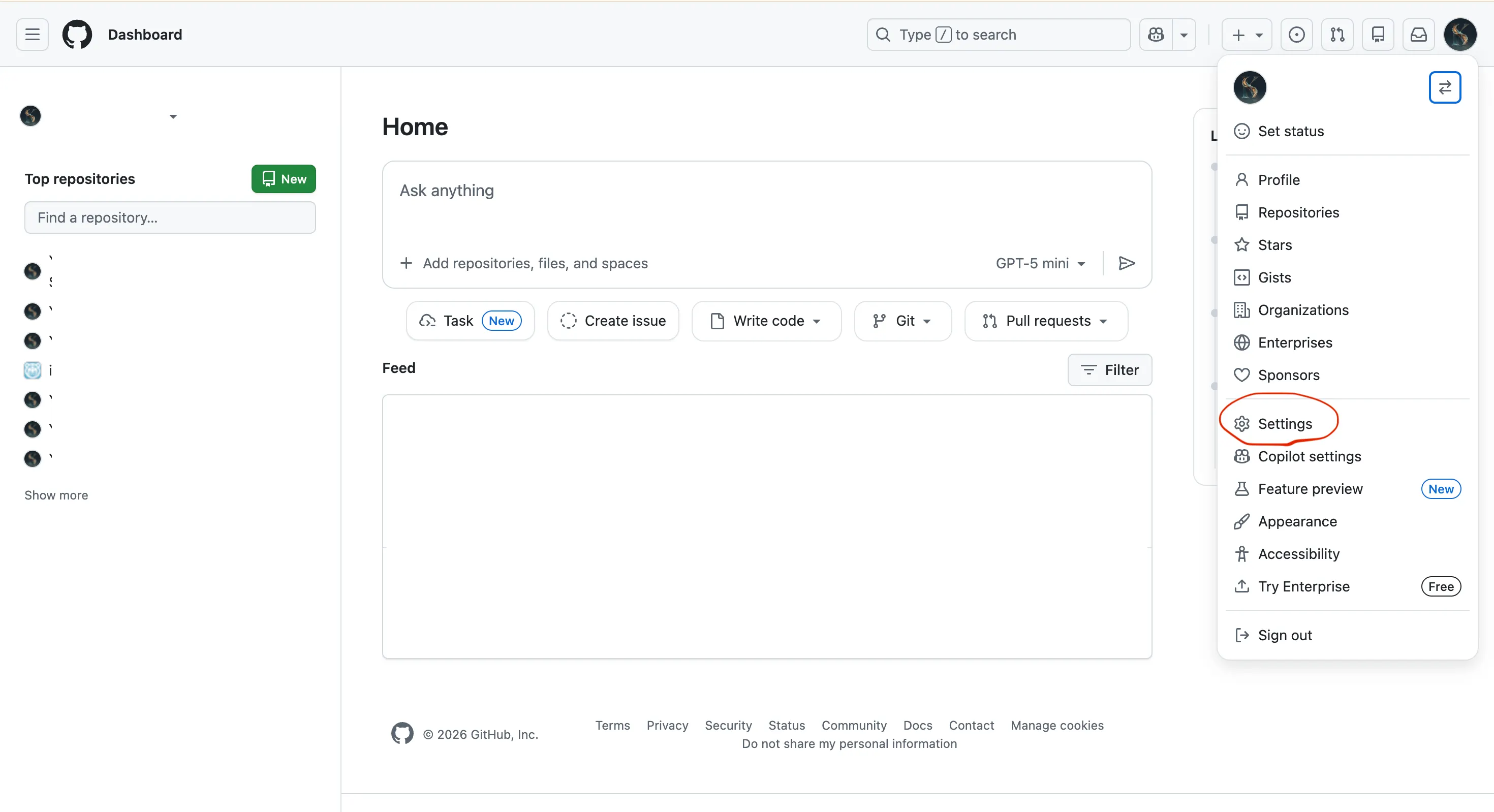 image.png
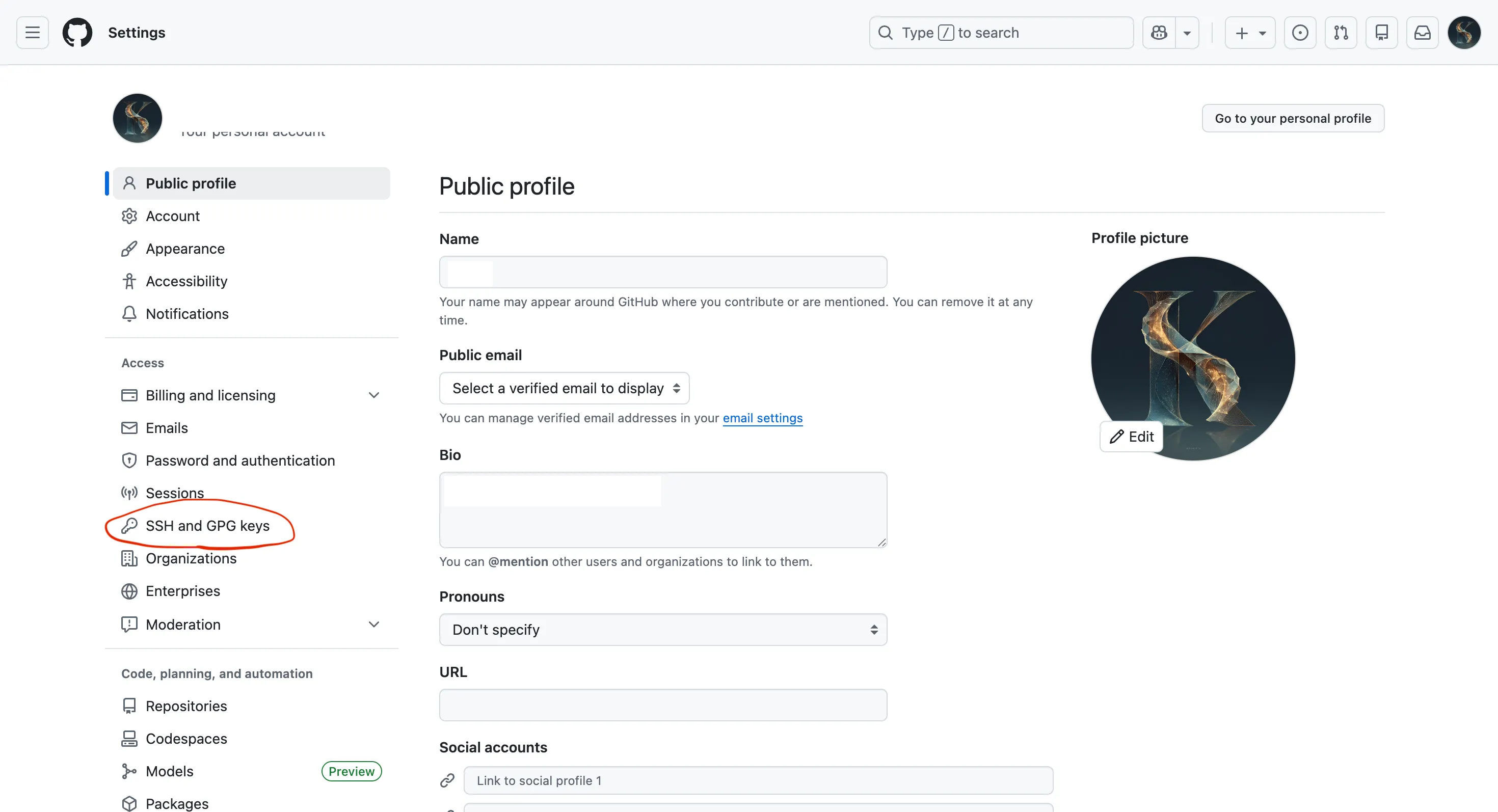 image.png
New SSH key
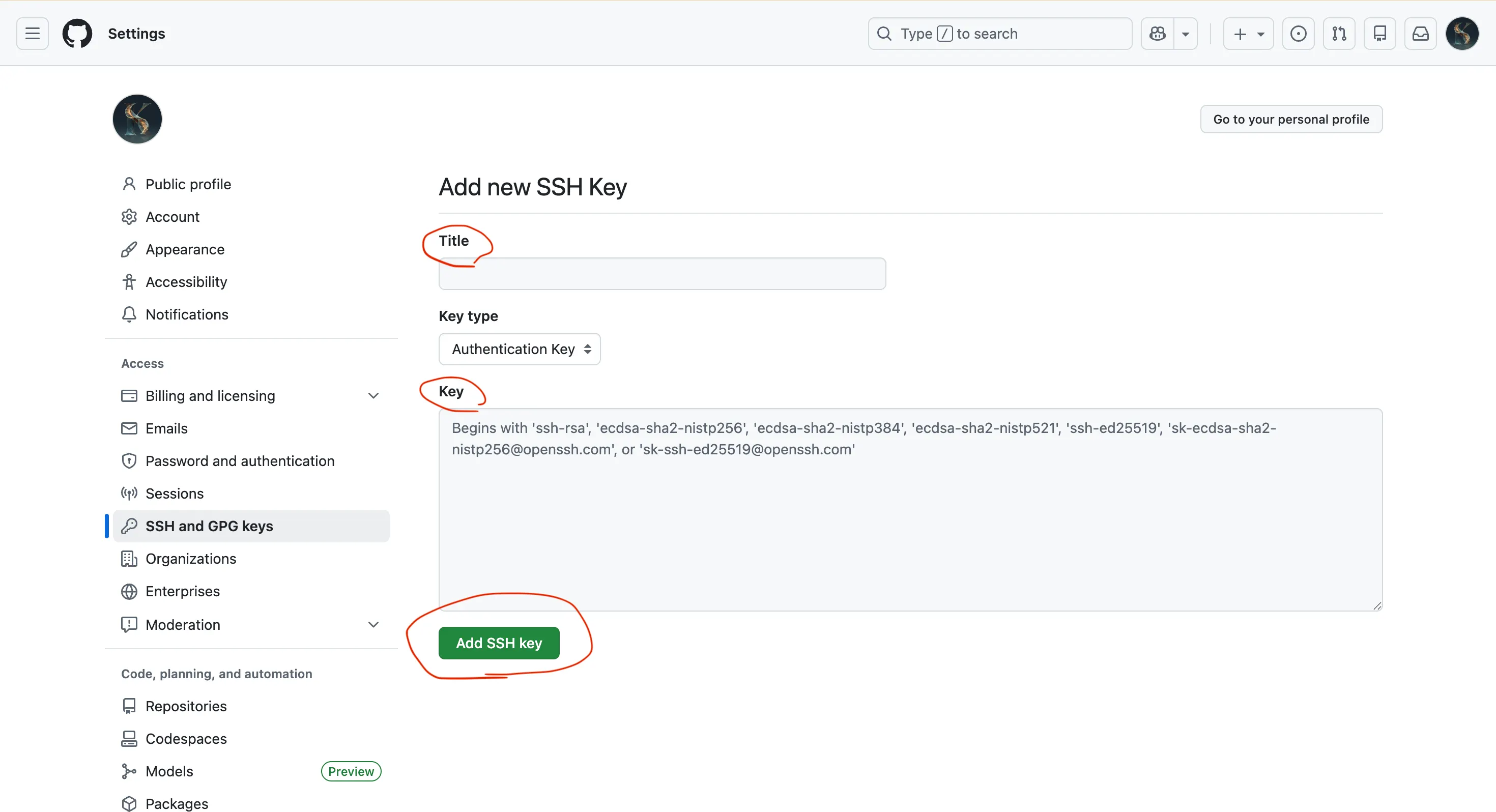 image.png
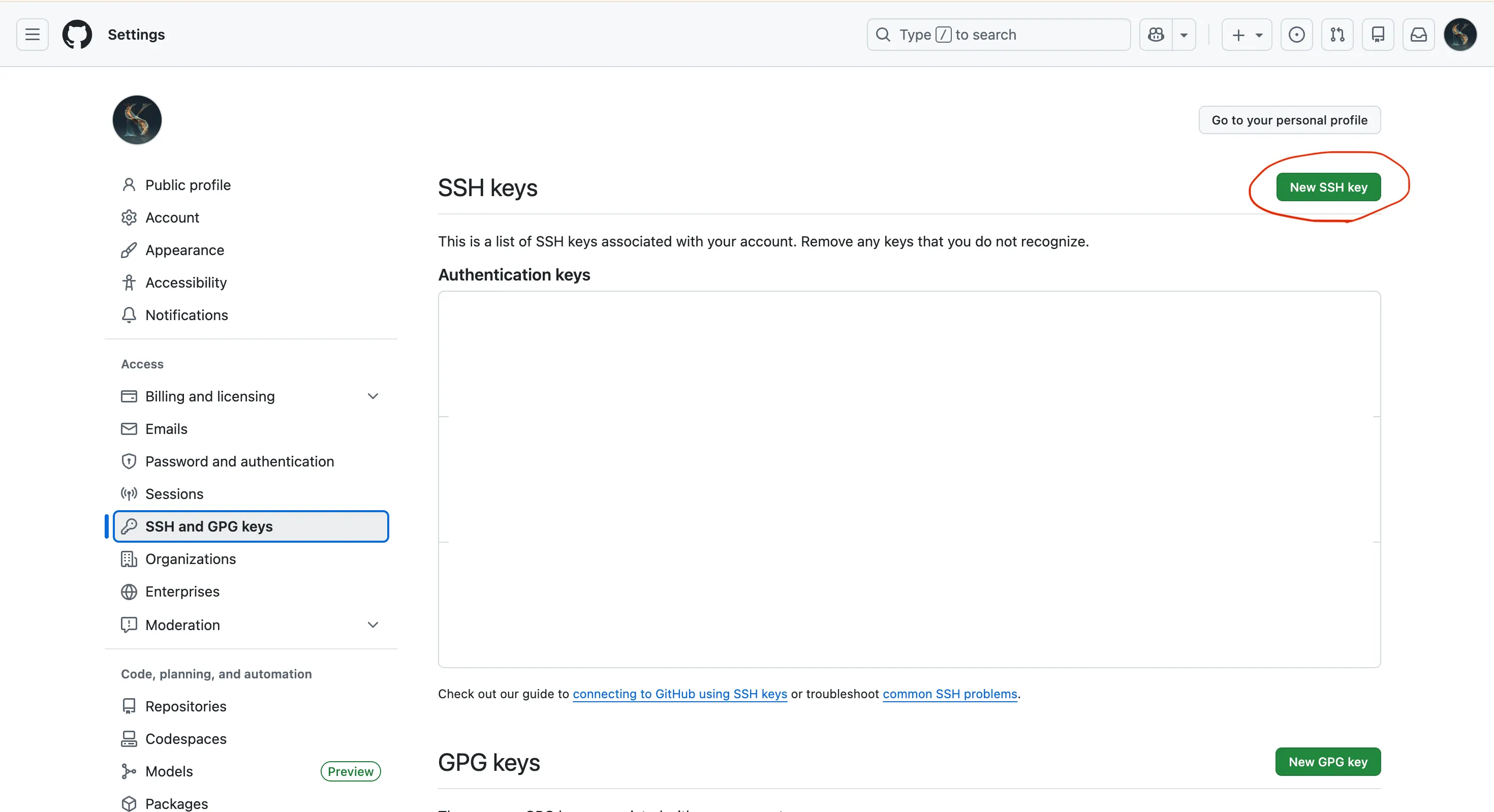 image.png
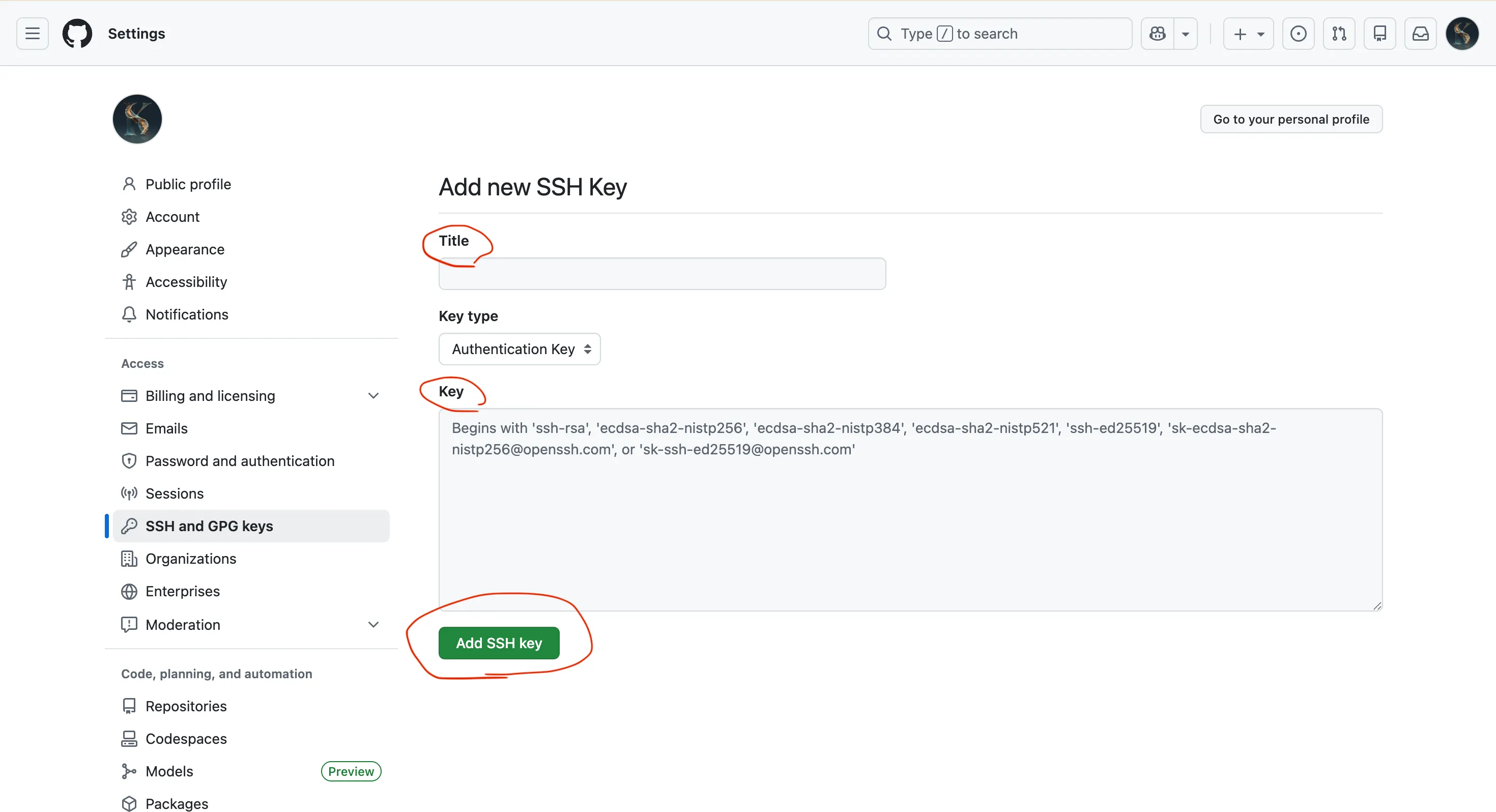 image.png
ssh -T git@github-other成功するとこう出る:
Hi USERNAME! You've successfully authenticated, but GitHub does not provide shell access.
例:
https://github.com/Koei-Yoshimura/blog-portfolio
ならこう:
git clone git@github-other:Koei-Yoshimura/blog-portfolio.gitPermission denied (publickey)
→ 鍵が登録されてない or IdentityFile が間違ってる
no such identity
→ 鍵ファイルが作れてない
github-other を使うときだけ
git@github-other:... でクローンすればOK。
普段のアカウントは git@github.com:... のままで良い。